Three briefs. Three ways to create. Each image comes with its matching prompt.
Posters with text
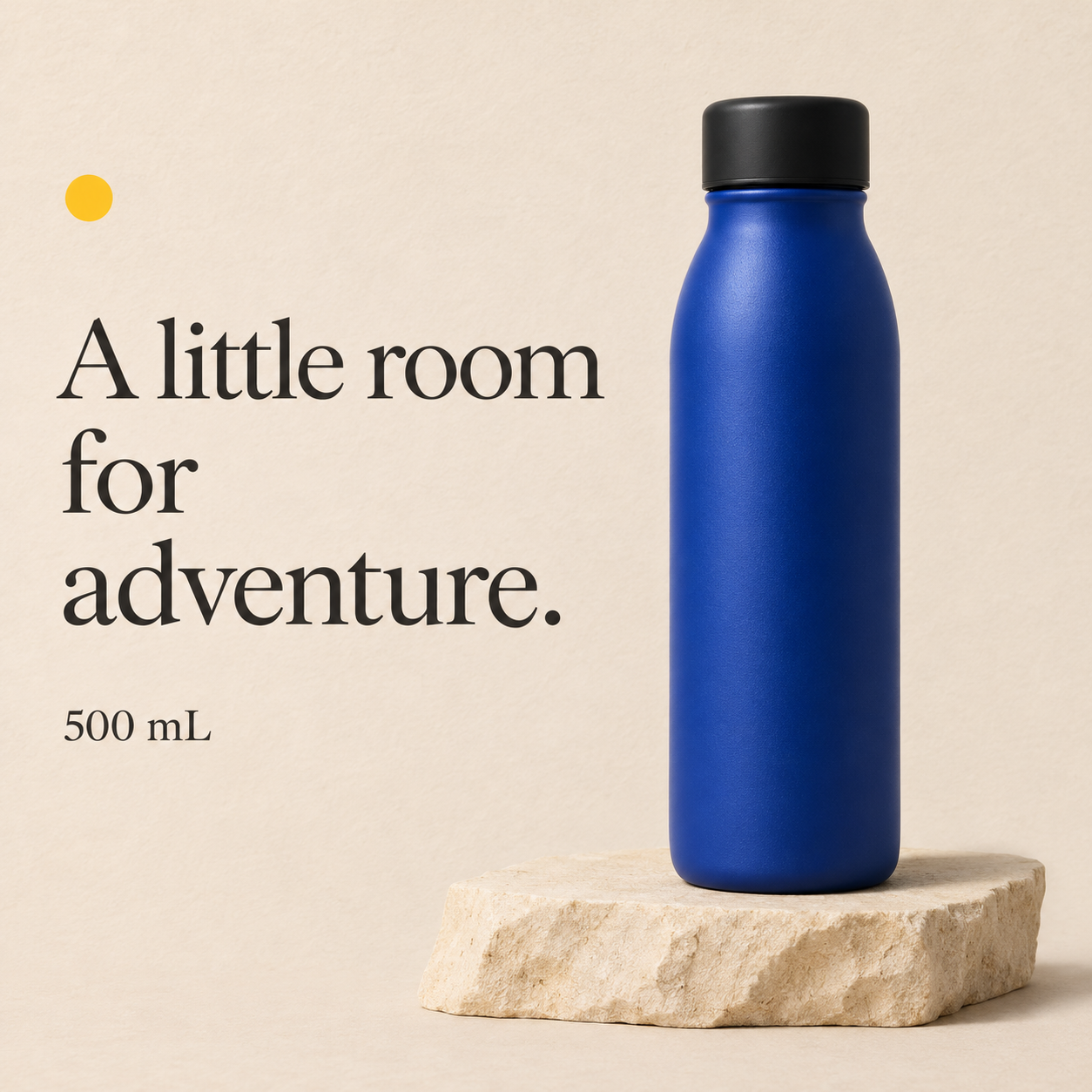
A little room for adventure.
A product, a precise headline, and room to breathe.
Read the prompt
Create a square editorial product poster for an unbranded matte cobalt-blue insulated bottle with a black lid. Place the bottle in the right half, standing on a low warm ivory stone plinth. In the left half include exactly this headline on three elegant lines: “A little room for adventure.” Beneath it, include “500 mL” once in small type. Warm ivory background, soft studio daylight, subtle paper texture, one small butter-yellow circular accent, generous negative space, premium contemporary art direction. Preserve a restrained two-column layout with dark charcoal lettering, crisp readable typography and realistic product materials. Do not add any other text, logo, watermark, frame, interface, or mockup.
Created in ChatGPT
Focused image edits
One change. Same composition.
Blue to terracotta, with the rest of the brief preserved.
Read the prompt
Change only the bottle body from cobalt blue to muted terracotta. Preserve the black lid, bottle shape, headline “A little room for adventure.”, “500 mL” text, typography, layout, stone plinth, lighting, shadows, yellow accent, and warm ivory background. Keep the same square composition. Return the edited image only.
Created in ChatGPT
Transparent product assets
Ready for your next layout.
The blue bottle, isolated on a truly transparent background.
Read the prompt
Isolate only the cobalt-blue bottle and its black lid from this image. Preserve its shape, color, realistic material and lighting. Remove all lettering, the yellow accent, stone plinth, shadows and the entire background. Center the complete bottle with generous padding on a truly transparent alpha background. Do not draw a checkerboard pattern. Return one transparent PNG image only.
Created in ChatGPT
Tested November 5, 2026
Two requests. One complete workflow.
Actual results from this generator. Create with Flare. Edit with Sunburst.
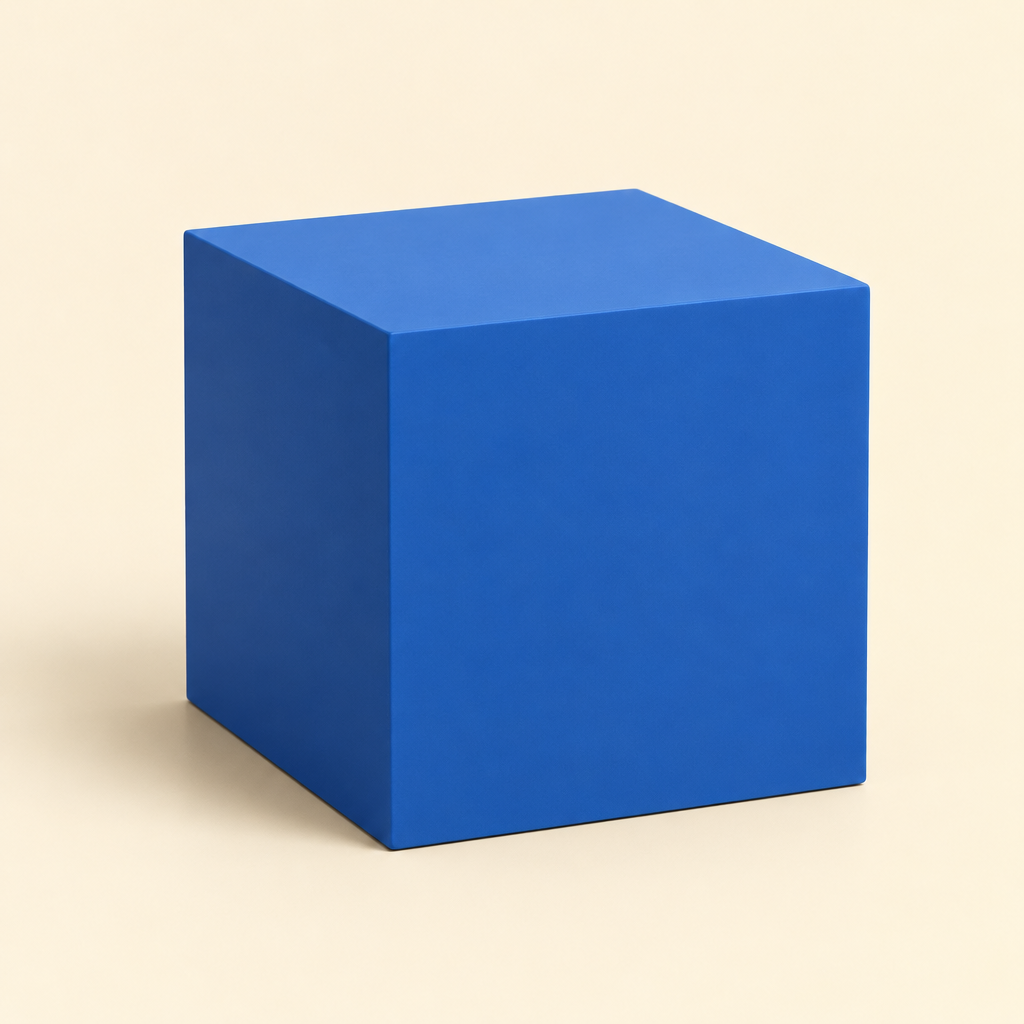
Our pre-release integration check used a test account and the same generation and credit-settlement flow. Both tasks succeeded: the account balance went from 20 to 19.45 credits after unused holds were returned. These two requests verify the workflow; they are not a quality or speed benchmark.
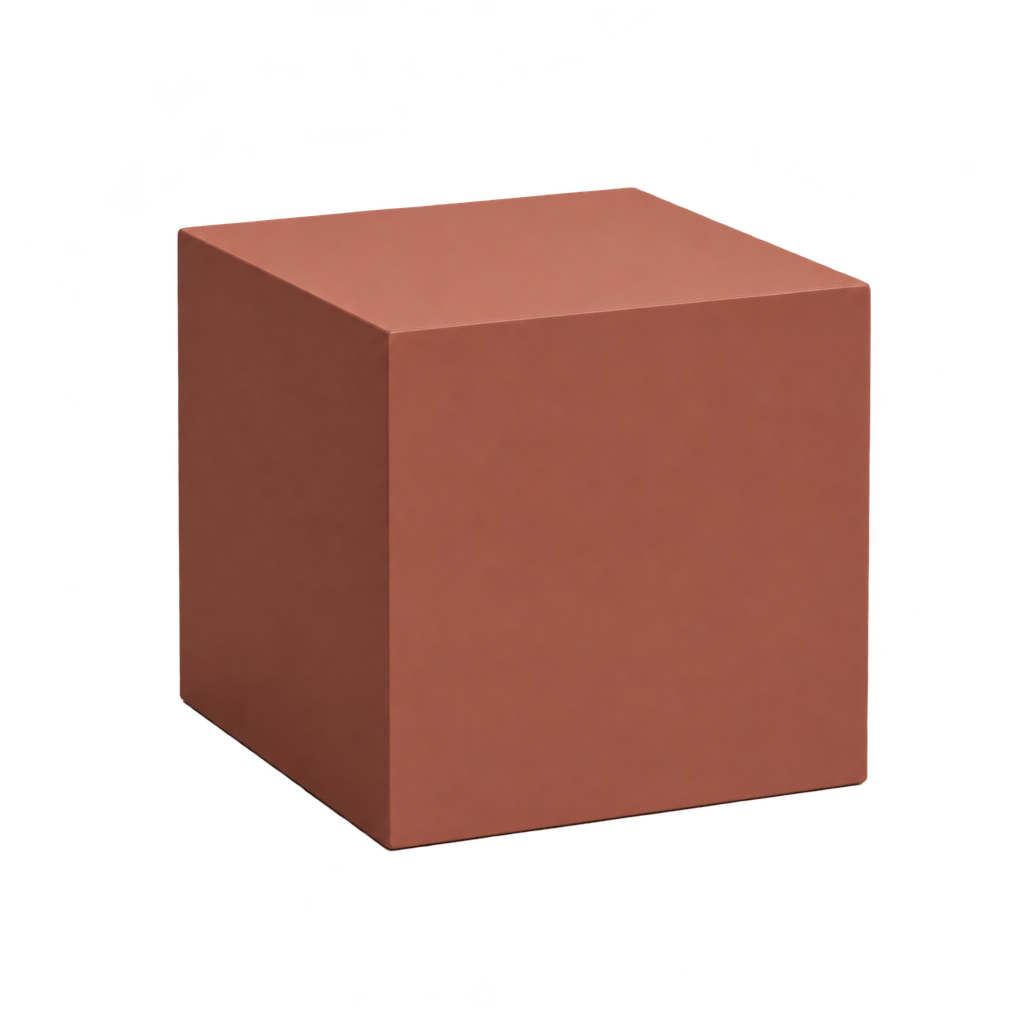
Change only the cube color to muted terracotta. Keep the cube shape and lighting. Remove the ivory background and return a truly transparent background. No text.
Sunburst used the Flare image above as its reference. The checkerboard shows transparency; a soft shadow remains in the returned image. Results can vary between requests. See the recorded billing calculations ↗
Animated GIF examples
Small loops. Big reactions.
A sticker pack, a thoughtful pause, a happy dance. Play a loop. Read its prompt. Download the GIF.
Examples only. GIF generation is not available through our current OpenRouter connection. These downloads are free and use no account credits.
A coordinated sticker pack
Six little reactions.
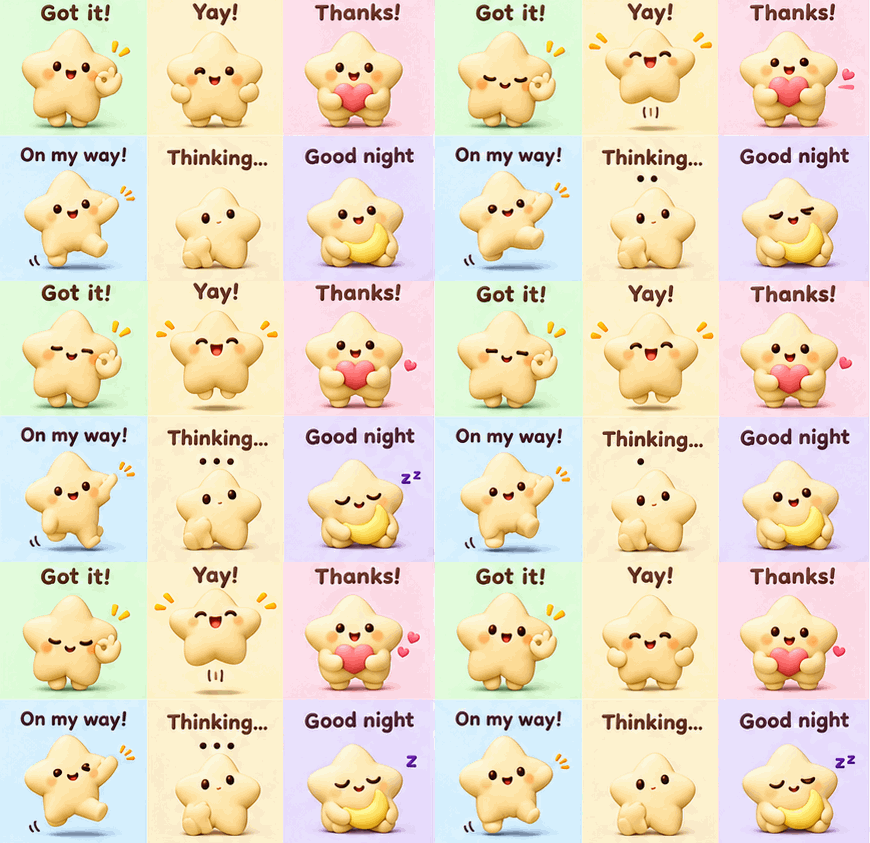
One original star character. Six everyday moods, from “Got it!” to “Good night”.
Read the English prompt
English translation of the original brief.
Use ChatGPT web image generation to create an animated GIF showcase of six original character reactions for an English-language image tool website. Deliver a genuinely animated, downloadable GIF, not just code or a static image.
Character: an original soft, cream-yellow star dumpling with five rounded points, tiny arms and legs, dark brown dot eyes, and peach-pink cheeks. Do not use existing characters, brands, or trademarks. Keep the character, material, proportions, and soft lighting consistent. Request a 768×512 canvas, three columns by two rows of 256×256 cells, precisely aligned, with an individual pastel background in each cell. Use a fixed camera and keep each English caption clear and stationary. Loop for about 2.4 seconds.
From left to right, top to bottom:
1. “Got it!” — nod and make an OK gesture on pale mint green.
2. “Yay!” — raise both arms and bounce gently on pale cream yellow.
3. “Thanks!” — offer a pink heart with both hands on pale pink.
4. “On my way!” — step in place and wave on pale blue.
5. “Thinking...” — tilt the head as three dots light up in sequence on beige.
6. “Good night” — hug a moon and slowly close the eyes on pale lavender.
Animate the actions frame by frame; do not simply pan or zoom the whole image. Make a polished sticker pack sample, without a website interface, watermark, or extra heading. Name the file star-reaction-pack.gif. Prefer native GIF generation. If the web interface instead generates action frames and assembles them, explain that accurately and still deliver the finished GIF with a download link.
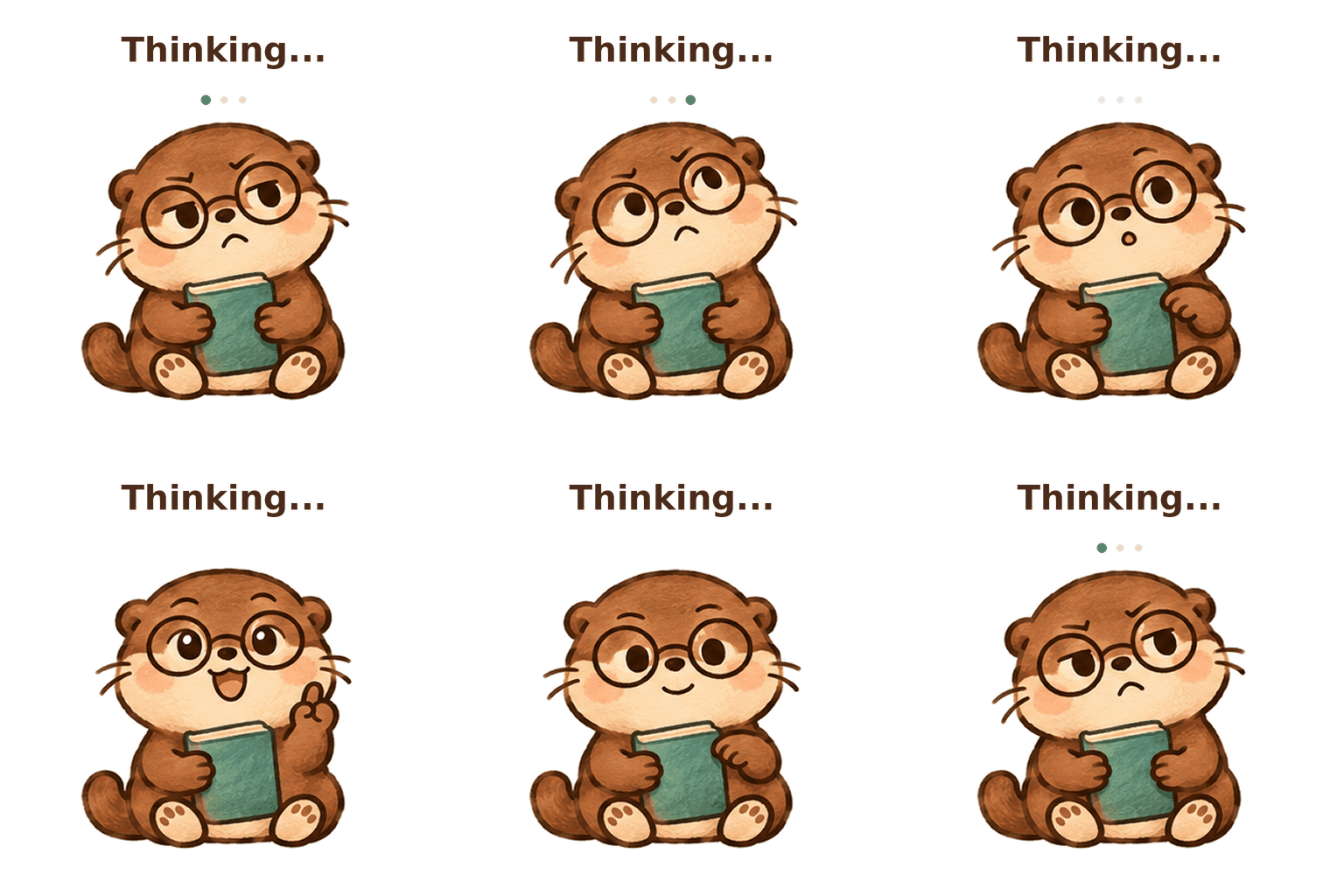
A tiny otter thinks it over, then lights up with an idea. Keep the caption steady and let the character act.
Read the English prompt
English translation of the original brief.
Use the current ChatGPT web image generation feature (GPT Image 2.6) to create a genuinely animated, downloadable original GIF reaction for an English-language image tool website. Do not return only a prompt, code, or a static preview. Do not use existing characters or trademarks.
Name the file otter-thinking.gif. Use a 512×512 square, a white background, and an approximately 2.4-second seamless loop with about 12 frames. Draw an original round chestnut-brown otter with cream cheeks, round glasses, and a small teal notebook held in both paws. It frowns and tilts its head while thinking, with three dots lighting up in sequence overhead. Its eyes then brighten, it raises one paw with an idea, and it returns to the starting thinking pose. Use clean, thick dark brown outlines and a soft hand-drawn sticker texture. Keep the face, accessories, and silhouette consistent across frames, with a fixed camera and generous margins. Keep the short caption “Thinking...” clear and stationary at the top. Add no other text. Make the movement clear and natural; do not simply pan or zoom the entire image.
Show the GIF in your response and provide a download link to the original file. Prefer native GIF output. If the interface needs to generate action frames and assemble them, explain the workflow accurately and deliver the finished GIF.
A hoodie-wearing hamster celebrates a small win with a cheerful side-to-side dance.
Read the English prompt
English translation of the original brief.
Use ChatGPT web image generation to create a genuinely animated, downloadable original GIF reaction for an English-language tool website. Name the file hamster-happy-dance.gif. Use 512×512 pixels and an approximately 2.4-second seamless loop with about 12 frames. Use a white background, a fixed camera, and a centered subject. Draw an original plump cream-colored hamster with orange ears and cheeks, wearing a mint-green hoodie. It steps from side to side, alternately raises its little paws, sways in a happy dance, and returns to the first-frame pose. Keep the clear caption “We did it!” stationary at the top. Use a hand-drawn sticker style, clean thick dark brown outlines, gentle shadows, and generous margins. Give the arms and legs distinct frame-by-frame movement. Keep the face, colors, and clothing consistent across frames. Do not pan or zoom the entire image, and do not use existing characters, brands, or trademarks. Show the finished GIF and provide a download link to the original; do not return only code or a static image. Prefer native GIF output. If you assemble action frames instead, explain that accurately.
Both create and edit images. Choose around the work you want to do.
✳
For detailed briefs
Sunburst
A starting point for demanding layouts and edits where small details matter. Try it for specified wording, product compositions, and a carefully focused change.
A starting point for exploring variations and refining an idea through successive requests. Try it when you want to keep a creative conversation moving.
Model guidance follows OpenAI’s published positioning. Actual response time, quality, and cost depend on the request.
Small changes. Clear directions.
Make a focused edit.
Upload the image you want to change. Describe the change, then name the details that should stay.
01
Describe the change
Say what should be added, removed, replaced, or recolored.
02
Name what should stay
Keep the subject, wording, layout, and lighting in your brief.
03
Review and refine
Compare the edited image with the original before the next request.
A clear cost for each request
GPT Image 2.6 Pricing & credits.
Each image or edit is charged at 2× the API-reported request cost. Before you generate, you see a planning estimate and the maximum account-credit hold. After completion, unused held credits return automatically.
Credits use the standard pack reference of US$12.90 for 60 credits, rounded up to 0.01 credit. Your purchase price can vary by plan. Higher quality and reference images can increase the final cost.
What the two site tests cost
Recorded November 5, 2026. These are historical request costs, not fixed prices per image.
Flare · 0.24 credits
API cost US$0.02485 × 2 = US$0.0497.
US$0.0497 ÷ US$0.215 per credit, rounded up to 0.01 credit = 0.24 credits.
Hold 0.94 − final charge 0.24 = 0.70 credits returned.
Sunburst · 0.31 credits
API cost US$0.033147 × 2 = US$0.066294.
US$0.066294 ÷ US$0.215 per credit, rounded up to 0.01 credit = 0.31 credits.
Hold 1.87 − final charge 0.31 = 1.56 credits returned.
The US$0.215 conversion reference is US$12.90 ÷ 60 credits. After credit rounding, the two charges represent US$0.0516 and US$0.06665 at that reference rate. Your effective cash cost depends on the credit pack you buy.
Yes. On November 5, 2026, our pre-release integration check generated a blue cube with Flare, then edited that image with Sunburst. Both account tasks completed successfully. The test account was charged 0.24 and 0.31 credits, and unused holds were returned. The original 1024×1024 PNG results and exact English prompts appear in the site test section. This is a small functional check, not a model quality or speed benchmark.
What is GPT Image 2.6?
GPT Image 2.6 is OpenAI’s image generation and editing model family, available as Sunburst and Flare. Create images from text or refine an existing image with references.
Should I choose Sunburst or Flare?
Start with Sunburst for detailed compositions, text-heavy layouts, and precise editing briefs. Consider Flare when you want to explore variations and iterate. Results depend on your prompt, references, and settings.
Can I edit an existing image?
Choose Edit an image, upload up to four PNG, JPEG, or WebP references, and describe the change. Each reference must be at most 5 MB, with a 10 MB total limit. Name the details to preserve, then compare the result with the original.
How much does an image cost?
Each generation or edit is priced at twice the API-reported image request cost, converted to account credits using the standard 60-credit pack reference of US$12.90. Charges round up to the nearest 0.01 credit. Your own credit purchase price can vary by plan. The generator shows an estimate and the maximum credit hold before you submit; unused held credits return after settlement.
What happens if a request fails?
A confirmed failed account task restores its reserved credits. If the connection is interrupted or the outcome is unknown, check the same task in your account before trying again. Recovered interrupted tasks cannot charge the same reservation twice.
Are my generated images saved?
Download your image before refreshing or leaving this page. Account task history stores request details and billing metadata, not the generated image file. Uploaded references are sent for processing when you submit a request.
Can I make animated GIF memes here?
Explore and download the animated GIF examples and their matching prompts below. GIF generation is not available through our current OpenRouter connection: its Sunburst and Flare endpoints currently expose PNG, JPEG, and WebP output. Browsing and downloading examples uses no account credits. The image generator above creates static images only.
Can I generate transparent images, GIFs, SVGs, or 4K images?
The generator creates static PNG, JPEG, and WebP images. Select Transparent with PNG or WebP for an alpha background. GIF generation, SVG output, and fixed 1K, 2K, or 4K selections are not available through this form. The result panel shows the image’s actual pixel dimensions.
Do I need a ChatGPT subscription?
You need a Nano Banana Tools account and enough site credits for the displayed hold. A ChatGPT subscription does not include credits here. This generator uses account credits; the separate Nano Banana guest checkout does not purchase GPT Image 2.6 images.
An independent image tool using OpenAI models. Not affiliated with OpenAI or Google.